self-hosting bearlytics on easypanel
[Bearlytics](tab:https://github.com/HermanMartinus/bearlytics) is a privacy-first, no-nonsense web analytics created by Herman.
Here's a quick guide to hosting Bearlytics using Easypanel:
1. **Select your project in Easypanel and click on "+ Service"**
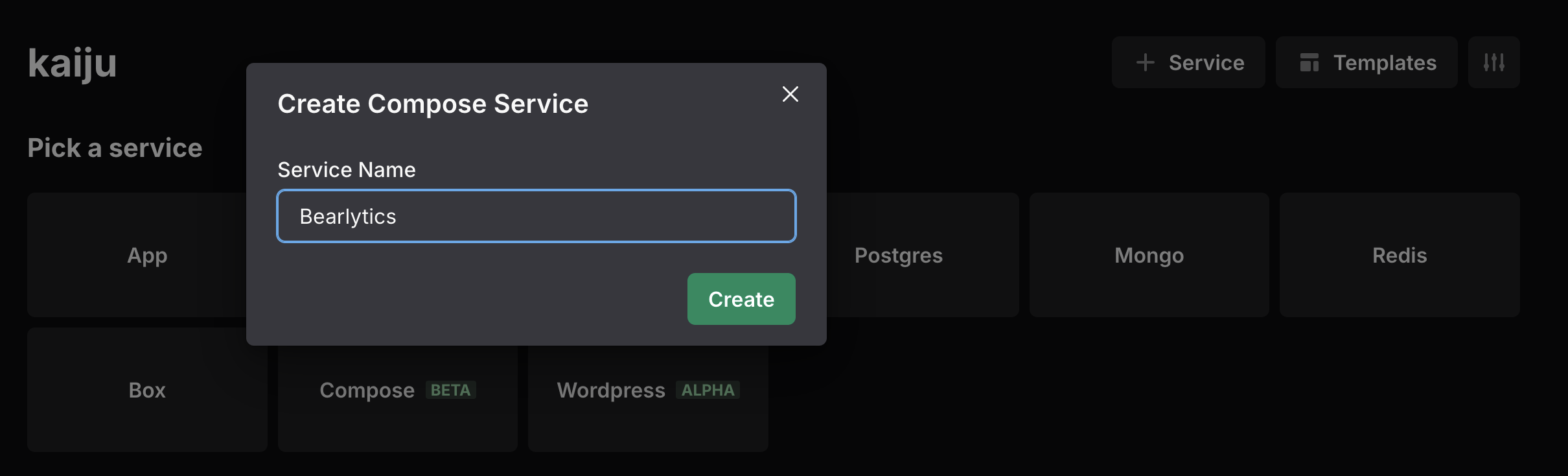
2. **Select "Compose [Beta]" and assign a service name**
3. **Fill in the YAML configuration as follows:**
```yaml
services:
bearlytics:
image: ghcr.io/hermanmartinus/bearlytics:latest
ports:
- 8000:8000
volumes:
- ./analytics:/app/data
env_file:
- .env
restart: unless-stopped
```
4. **Switch to the Environment settings tab of your service and enter the following variables:**
```shell
CSRF_TRUSTED_ORIGINS=https://your-domain.example.com
DB_PATH=/app/data/analytics.db
DEBUG=False
SALT_SECRET=your-generated-salt
SECRET_KEY=your-generated-secret
UID=1000
GID=1000
```
> **Important:** Replace `your-domain.example.com` with your actual domain, and generate secure values for both `SALT_SECRET` and `SECRET_KEY`. You can generate these using an online tool or locally (details below).
5. **Configure the domain:**
- Switch to the Domains tab of your service
- Assign your domain (e.g., your-domain.example.com)
- Set the internal port to 8000
6. **Initial setup:**
- Visit your domain (https://your-domain.example.com)
- You'll be prompted to create an admin username and password
- Complete this setup to access your Bearlytics dashboard
7. **Start using Bearlytics:**
- Add domains to track
- Get your tracking scripts
- Implement them on your websites
### Additional Information
- Bearlytics stores data in the volume mount at `./analytics`, which persists even if you restart the container
- Make sure your domain's DNS is properly configured to point to your Easypanel server
- Consider backing up the `analytics.db` regularly to prevent data loss
### Generating Secret Key and Salt Values
Here are a few simple methods to generate secure values for your Django `SECRET_KEY` and `SALT_SECRET`:
#### Method 1: Using Python's Built-in Tools
Open a Python shell or script and run:
```python
import secrets
# Generate a secure SECRET_KEY
secret_key = secrets.token_urlsafe(50)
print(f"SECRET_KEY: {secret_key}")
# Generate a secure SALT_SECRET
salt_secret = secrets.token_hex(32)
print(f"SALT_SECRET: {salt_secret}")
```
#### Method 2: Using Django's get_random_secret_key() Function
If you have Django installed, you can use:
```python
from django.core.management.utils import get_random_secret_key
# Generate Django secret key
secret_key = get_random_secret_key()
print(f"SECRET_KEY: {secret_key}")
# For salt, you can use the same function or the secrets module
import secrets
salt_secret = secrets.token_hex(32)
print(f"SALT_SECRET: {salt_secret}")
```
#### Method 3: Using Command Line Tools
If you prefer using the command line:
```bash
# Generate SECRET_KEY
openssl rand -base64 50
# Generate SALT_SECRET
openssl rand -hex 32
```
#### Method 4: Online Django Secret Key Generator
You can also use an online generator like:
- https://djecrety.ir/
- https://miniwebtool.com/django-secret-key-generator/